Off with his head
Fragment block
so I assume it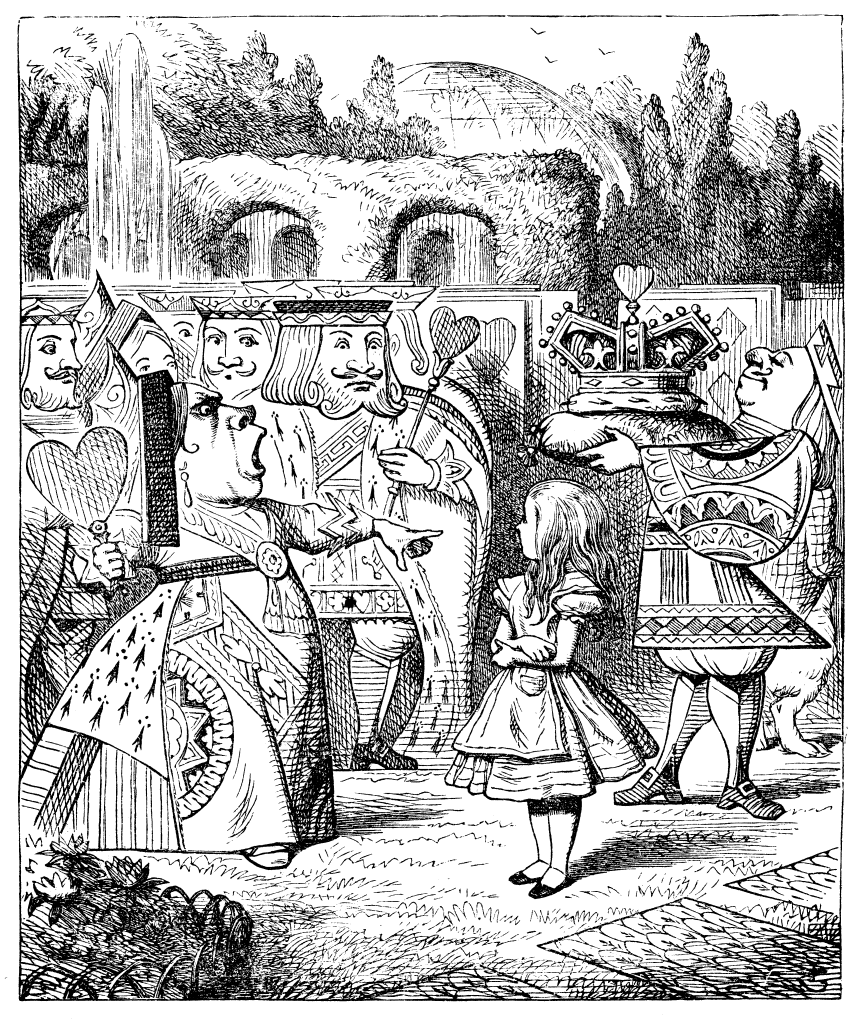
My first adventure into headless Drupal, PART 1
“The executioner's argument was that you couldn't cut of something's head unless there was a trunk to sever it from. He'd never done anything like that in his time of life, and wasn't going to start now.
The King's argument was that anything that had a head, could be beheaded, and you weren't to talk nonsense.
The Queen's argument was that if something wasn't done about it in less than no time, she'd have everyone beheaded all round.
It was this last argument that had everyone looking so nervous and uncomfortable.”
― Lewis Carroll, Alice in Wonderland
I. Down the rabbit-hole
Should there always be a reason to write a blog? Well, if that is so, a reason for this blog could well be my feeling that headless had become less of a hype and more of a sensible web development strategy. Which does not mean it is not still hip, but what, after all, is 'hip' but a more sensible kind of 'hype'.
Another reason is I recently acquired my own VPS and I think it a waste to host just one website on it. So why not built another one, and, in doing so also learn some things that will com inn handy for my work.
And so there it is, lets plunge into the rabbit hole and find out what we can learn today.
And, yes, I do love "Alice in Wonderland", and probably so do you if you recognized the subtitles.
II. The pool of tears
Most of the time when using new technologies I do expect a pool of tears. Not because every new technology can be considered as immature of faulty, but because when you are an early-adopter the main problem you will encounter is the lack of documentation. In this case however, I'm certainly not an early-adopter and, as you can see in the list of links at the end of this article, there seems to be plenty of documentation both in- and outside the Drupal community.
I will not go into the real world argumentation pro or con headless systems, but will mention some considerations in section V. Advice from a caterpillar.
First we will setup a base Drupal 8 code base:
composer create-project drupal-composer/drupal-project:8.x-dev nagtegaalblog --stability dev --no-interaction
Of course this command should be run in the directory in which you want too place your code base. On my development laptop I have a 'Sources' directory in my home and a make a symbolic link to '/var/www' so that Apache2 can serve that directory. See 'Appendix 1' for an overview of the commands that I used to get the clean Drupal 8 site up and running.
Because we used the 'Minimal' installation profile we will have to enable a number of core-modules by hand, e.g. with drush (which you have to require if you do not have a global drush, with 'composer require drush/drush'):
-
CKEditor
-
Configuration Manager
-
Custom Menu Link
-
Field UI
-
Menu UI
-
Path
-
Taxonomy
-
Views UI
-
Field types:
-
Datetime
-
Image
-
Link
-
-
RESTful Web Services
The above list will also enable a number of required modules which is fine.
We will also add a number of modules:
-
composer require drupal/pathauto
For now we will keep the site extremely simple and just add:
-
Content type 'Blog' with as fields:
-
Title
-
Header image
-
Body
-
Author
-
Publish date
-
Tags
-
-
A taxonomy 'Tags'
To make sure we can later move everything to our production server, open a shell and
`> cd /var/www/nagtegaalblog/sites/default`
And execute
`> drush cex`
This will write the current configs to the '../config/sync' directory.
III. A caucus-race and a long tale
So now we have a very simple Drupal site and we can add some content and browse through it. The next step is to configure Drupal in such a way that it will become headless.
First of all lets enable the following core modules:
-
HAL
-
HTTP Basic Authentication
-
RESTful Web Services
-
Serialization
Next we go to
/admin/structure/views/add
And add a view which shows 'Content' of the type 'Blog' and also check 'Provide a REST export'. As path I will use 'api/blogs'
Save and edit this view and make sure it shows 'Fields' and not 'Entity' (which would render a full node) and make sure 'Format:Serializer | Settings' are set to JSON. Add the field we want to use, basically these are:
-
ID
-
Title
-
Date
-
Body
-
Author
-
Image
-
Tags
Now if we save this view we have created an API-overview of all our blogs suitable. To view the content point your browser at
http://nagtegaalblog.local/api/blogs?_format=json
If you forget to include the '?_format=json' you will get an error:
406 NOT ACCEPTABLEThe target resource does not have a current representation that would be acceptable to the user agent, according to the proactive negotiation header fields received in the request1, and the server is unwilling to supply a default representation.
Which, of course, basically means that you requested the wrong type of content: Your browser, or tools like 'wget' default sent a request for HTML, and in the view we created we only made an display for JSON. The extra parameter will tell Drupal we are actually asking for JSON.
So how to get a single blog entry? A quick guess would suggest:
http://nagtegaalblog.local/node/1?_format=json
But this will give you an error quite like the above, you will get a response with:
`{"message":"Not acceptable format: json"}`
So, what is this? And, what now?
IV. The rabbit sends in a little bill
So, there we are, back at the pool of tears. Although all documentation and 'Hello world' examples seems to suggest that core Drupal 8 is fully ready for decoupled sites, in practice it is only ready with some help. Luckily help is on its way in the form of the JSON-API contrib module. With this module we will get a full-fledged API. So lets install the module with
`> composer require drupal/jsonapi`
an enable it with
`> drush en jsonapi`
Now to get a list of all the blogs we can go to
http://nagtegaalblog.local/jsonapi/node/blog
and to get a specific blog go to
http://nagtegaalblog.local/jsonapi/node/blog/<uuid>
But the JSONAPI module is much more powerful then tis. For example, to get a list of blogs to, for example, generate a small menu with blog items, use:
http://nagtegaalblog.local/jsonapi/node/blog?fields[node--blog]=title
This will give as response:
{ "data": [ { "type": "node--blog", "id": "7a1fc8a6-6ec9-45dd-b8e6-3e0b5eab9b13", "attributes": { "title": "Setting the standard" }, "links": { "self": "http:\/\/nagtegaalblog.local\/jsonapi\/node\/blog\/7a1fc8a6-6ec9-45dd-b8e6-3e0b5eab9b13" } }, { "type": "node--blog", "id": "038bd752-b49e-4a3d-94ed-5c3ac0a50e3f", "attributes": { "title": "How to get SSAD" }, "links": { "self": "http:\/\/nagtegaalblog.local\/jsonapi\/node\/blog\/038bd752-b49e-4a3d-94ed-5c3ac0a50e3f" } }, { "type": "node--blog", "id": "7ba15596-1d95-4fae-ab46-0d2978cda669", "attributes": { "title": "What the fq? A short summary of Solr query fields" }, "links": { "self": "http:\/\/nagtegaalblog.local\/jsonapi\/node\/blog\/7ba15596-1d95-4fae-ab46-0d2978cda669" } }, { "type": "node--blog", "id": "844d5bda-f04a-48e7-88f2-c4538dca92f7", "attributes": { "title": "Making your customers pay" }, "links": { "self": "http:\/\/nagtegaalblog.local\/jsonapi\/node\/blog\/844d5bda-f04a-48e7-88f2-c4538dca92f7" } }, { "type": "node--blog", "id": "8c91d313-172b-4076-ad4c-6d890ab1275d", "attributes": { "title": "Going Dutch: stemming in Apache Solr Stemming" }, "links": { "self": "http:\/\/nagtegaalblog.local\/jsonapi\/node\/blog\/8c91d313-172b-4076-ad4c-6d890ab1275d" } } ], "jsonapi": { "version": "1.0", "meta": { "links": { "self": "http:\/\/jsonapi.org\/format\/1.0\/" } } }, "links": { "self": "http:\/\/nagtegaalblog.local\/jsonapi\/node\/blog?fields%5Bnode--blog%5D=title" } }
To learn more about the JSONAPI-module read the documentation.
V. Advice from a caterpillar
So, assuming I am the caterpillar (although I quit smoking quite some time ago), what would be my advise. I think building a decoupled site can surely have its advantages, but the use-case should be clear from the start.
Links and references
Dries Buytaert: How to decouple Drupal in 2018
Appendix 1
Commands to set up my site locally
-
cd ~/Sources
-
composer create-project drupal-composer/drupal-project:8.x-dev nagtegaalblog --stability dev --no-interaction
-
ln -s ~/Sources/nagtegaalblog/web/ /var/www/nagtegaalblog
-
sudo cp /etc/apache2/sites-available/001-drupal8dev.conf /etc/apache2/sites-available/002-nagtegaalblog.conf
-
sudo vim /etc/apache2/sites-available/002-nagtegaalblog.confThis should look something like (but of course use your own paths where necessary):
<VirtualHost *:80> ServerName nagtegaalblog.local ServerAdmin webmaster@localhost DocumentRoot /var/www/nagtegaalblog
<Directory "/var/www/nagtegaalblog"> AllowOverride All </Directory
ErrorLog ${APACHE_LOG_DIR}/error.log CustomLog ${APACHE_LOG_DIR}/access.log combined</VirtualHost>
-
sudo vim /etc/hostsAdd line:
127.0.0.1 nagtegaalblog.local -
sudo a2ensite 002-nagtegaalblog
-
sudo service apache2 reload
-
mysql -u root -p
CREATE DATABASE nagtegaalblog;CREATE USER 'nagtegaalblog_user'@'localhost' IDENTIFIED BY '<password>';GRANT usage ON *.* TO 'nagtegaalblog_user'@'localhost';GRANT ALL ON nagtegaalblog.* TO 'nagtegaalblog_user'@'localhost'; -
Open http:// nagtegaalblog.local in your browser to start install, using the 'Minimal'-profile.
-
If you get an error about not being able to create '../config/sync' go to your Source directory and
mkdir -p config/sync' -
Because we will not use the Drupal theming layer it is save to set the 'Seven'-theme as default and administrator theme on '/admin/appearance'